


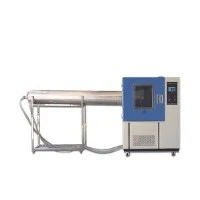
Is the IPX9k tester easy to operate?
As a supplier of IPX9k testers, I often get asked by customers whether our IPX9k testers are easy to operate. In this blog post, I'll delve into the operational aspects of the IPX9k tester, exploring its features, user - friendliness, and the overall experience of using it.
Understanding the IPX9k Standard
Before discussing the operation of the IPX9k tester, it's essential to understand what the IPX9k standard represents. The IP (Ingress Protection) rating system is used to define the degree of protection provided by an enclosure against the intrusion of solid objects and water. The "X" in IPX9k indicates that there is no protection rating for dust, while the "9k" refers to a high - pressure, high - temperature water jet test. This test is designed to simulate the conditions that equipment might face in harsh industrial environments, such as car washes, food processing plants, or outdoor machinery exposed to high - pressure cleaning.
Features of the IPX9k Tester
Our IPX9k tester comes with a range of features that are carefully engineered to ensure both accurate testing and ease of operation.
1. Automated Testing Cycles
One of the key features is the ability to set up automated testing cycles. The tester allows users to pre - program the test duration, water pressure, and temperature according to the IPX9k standard requirements. Once the parameters are set, the tester will run the test automatically, eliminating the need for constant manual intervention. This not only saves time but also ensures that the test is conducted consistently every time.
2. User - Friendly Interface
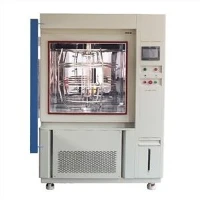
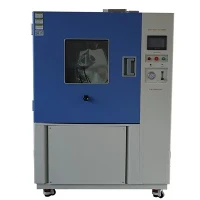
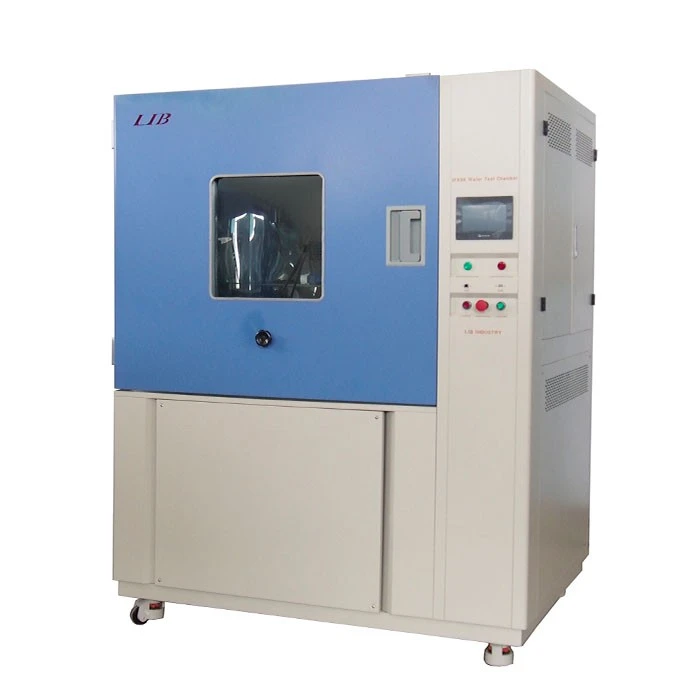
The IPX9k tester is equipped with a user - friendly touchscreen interface. The interface is intuitive and easy to navigate, even for those who are not highly technical. All the necessary controls, such as starting and stopping the test, adjusting parameters, and viewing test results, are accessible from the main screen. The menu layout is well - organized, with clear labels and icons that make it simple for operators to find what they need.
3. Safety Features
Safety is always a top priority in any testing equipment. Our IPX9k tester is designed with multiple safety features. For example, it has an emergency stop button that can be pressed in case of any unexpected situations during the test. There are also pressure and temperature sensors that monitor the system continuously. If the pressure or temperature goes beyond the safe limits, the tester will automatically shut down to prevent any damage to the equipment or harm to the operator.

4. Easy Maintenance
Maintenance is an important aspect of any testing equipment. Our IPX9k tester is designed for easy maintenance. It has easily accessible components, and the water filtration system can be easily cleaned or replaced. The tester also comes with a built - in diagnostic system that can detect any potential issues and provide error messages to help operators troubleshoot problems quickly.
Operational Steps
Let's walk through the basic operational steps of our IPX9k tester.
Step 1: Preparation
Before starting the test, the operator needs to prepare the equipment. This includes filling the water tank with clean water, ensuring that the water heater is functioning properly, and connecting the power supply. The test specimen should be placed in the test chamber according to the specified position and orientation.
Step 2: Parameter Setting
Using the touchscreen interface, the operator can set the test parameters. This includes the test duration, which is typically around 30 seconds per side for a total of 2 minutes of testing for a complete 360 - degree rotation of the test specimen. The water pressure should be set to the required value (usually between 80 - 100 bar) as per the IPX9k standard, and the water temperature should be set to around 80°C (±5°C).
Step 3: Starting the Test
Once the parameters are set, the operator can start the test by pressing the "Start" button on the interface. The tester will then begin to heat the water to the set temperature and build up the pressure. Once the conditions are met, the water jet will start spraying on the test specimen in a pre - defined pattern.
Step 4: Monitoring the Test
During the test, the operator can monitor the test progress on the touchscreen. The interface will display real - time information such as the current water pressure, temperature, and the remaining test time. If any issues occur during the test, the diagnostic system will alert the operator.
Step 5: Completing the Test
After the test is completed, the tester will automatically stop. The operator can then remove the test specimen from the chamber and inspect it for any signs of water ingress. The test results can be saved on the tester's internal memory or exported to a USB drive for further analysis.
Comparison with Other Testing Equipment
When compared to other types of ingress protection testing equipment, such as IP69k Test Equipment or Ingress Protection Testing Equipment, the IPX9k tester has its own unique advantages in terms of operation.
The IPX9k test requires high - pressure and high - temperature water jet testing, which is a more complex process compared to some other IP tests. However, our IPX9k tester simplifies this process through its automated features and user - friendly interface. In contrast, some other types of testing equipment, such as IP6X Dust Ingress Test Chamber, may have different operational requirements, such as handling dust particles and ensuring proper sealing to prevent dust leakage.
Customer Feedback
Over the years, we have received a lot of positive feedback from our customers regarding the ease of operation of our IPX9k tester. Many customers have mentioned that the automated testing cycles and the user - friendly interface have significantly reduced the time and effort required for testing. They also appreciate the safety features and the ease of maintenance.
However, like any piece of equipment, there are always areas for improvement. Some customers have suggested adding more language options to the touchscreen interface to accommodate a wider range of users. We are constantly working on enhancing our products based on customer feedback to make them even more user - friendly.
Conclusion
In conclusion, our IPX9k tester is designed to be easy to operate. With its automated testing cycles, user - friendly interface, safety features, and easy maintenance, it provides a hassle - free testing experience for operators. Whether you are a small - scale manufacturer or a large industrial enterprise, our IPX9k tester can meet your testing needs.
If you are interested in purchasing an IPX9k tester or have any questions about its operation, please feel free to contact us. We are more than happy to discuss your requirements and provide you with detailed information about our products. Our team of experts can also offer on - site training and support to ensure that you can operate the tester efficiently.
References
- International Electrotechnical Commission (IEC) standards related to Ingress Protection (IP) ratings.
- Technical documentation of our IPX9k tester.